
Enterprise Agent Studio
Get the job clear first, then design the agent and the UI
What it is
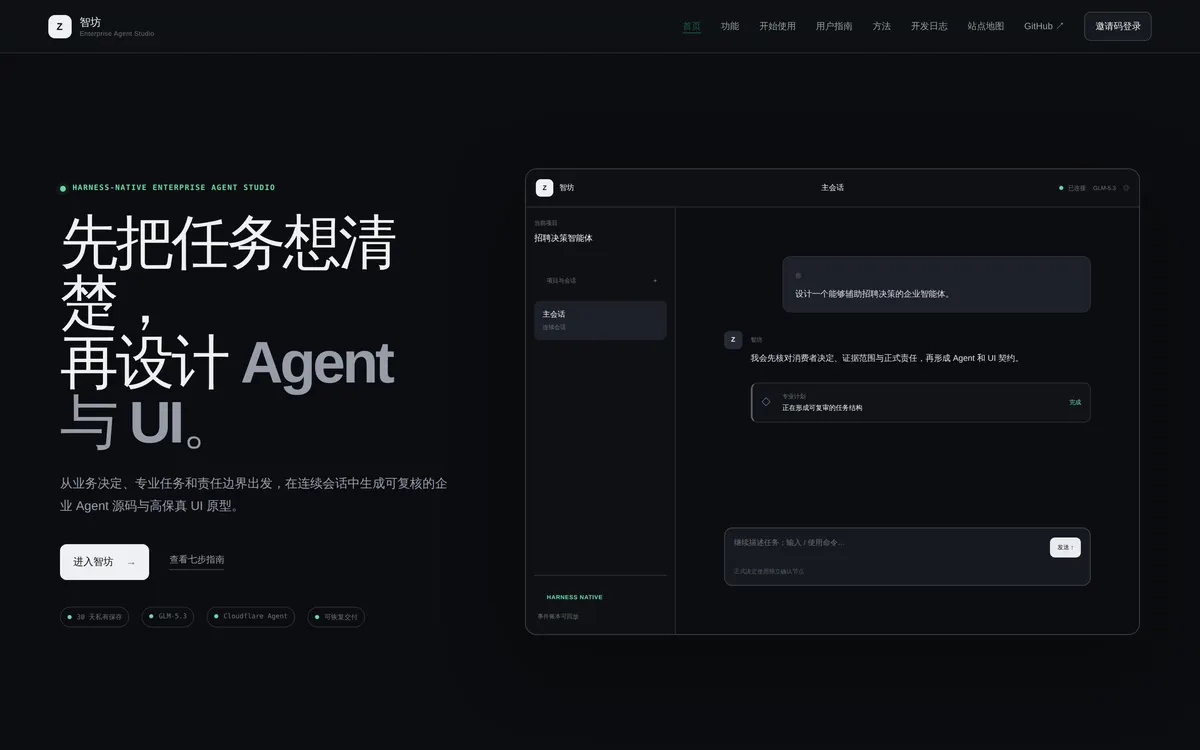
A harness-native studio for enterprise agents. Starting from the business decision, the professional task and the boundary of responsibility, one continuous session produces two things at once:
- Enterprise agent source — system prompt, core skills, runtime contract, eval cases and a reviewable checklist
- A UI product design package — PRODUCT, DESIGN, design tokens, a high-fidelity static prototype and a quality audit
Plus a third piece: joint review and recovery — aligning objects, permissions, state and error recovery, so a partial failure doesn’t wipe out the artefacts that were already sound.
All three come from one Application Manifest, so the agent and the UI can’t tell different stories.
Seven steps, four confirmations
A continuous conversation doesn’t dissolve formal approval. Four of the seven steps keep the decision with the user:
01 sign in, create a project              read state
02 describe and confirm the task           ← confirmation
03 upload material, confirm Grounding      ← confirmation
04 confirm the agent's professional design ← confirmation
05 run behavioural evals, reach L1         read state
06 confirm Application Manifest and task UI ← confirmation
07 joint compile, preview and download     read state
Conversational products slide easily into “keep chatting, and at the end discover it generated a pile of things you never agreed to”. Nailing four confirmation points into the flow is the skeleton of this design.
Why it’s worth a look
What makes this project interesting isn’t what it can generate — it’s what it refuses to claim it can generate.
The homepage carries the maturity distribution outright: 10 available / 5 controlled beta / 1 restricted / 1 planned. Every capability lists its own limit next to it:
- “Agent professional design checklist” — available, but upstream Grounding or a change of system shape invalidates old revisions
- “Rule-fixture behavioural evals” — controlled beta, no real customer production record yet
- “Application Manifest and task UI” — controlled beta, must not bypass a valid L1 gate
- “Joint agent/UI compilation” — controlled beta, a static preview does not mean the customer app is live
- “Stage 4 recruitment-management pilot” — planned, currently paused; not part of the seven-step flow; must not be described externally as delivered
That last line — must not be described externally as delivered — is printed on the product’s own homepage. That’s rare in AI products.
The site calls the principle HONEST BY DESIGN — don’t write “generated” as “already live”, with three concrete boundaries: unconnected enterprise systems only produce contracts; automated review does not impersonate an independent Source Gate; generated UI is only previewed statically in an isolated environment.
How to use it
Open openasf.club — currently invite-code sign-in.
First time, read the illustrated user guide on the site: seven steps, four confirmations and thirteen diagrams covering what problem it solves, how to use it and what you end up with. There’s a web version plus Markdown and Word downloads generated from the same source of truth.
Runtime: Cloudflare Agent with GLM-5.3, 30-day private retention, and recoverable delivery backed by a replayable event ledger.
Boundaries
- Controlled beta, invite-code access
- Stages 2/3 still need real business validation; the desktop preset still has distribution limits; Stage 4 stays paused
- A static UI preview is not a deployed customer application
Co-developed by wangwpino and zhanglunet.